Your first workflow
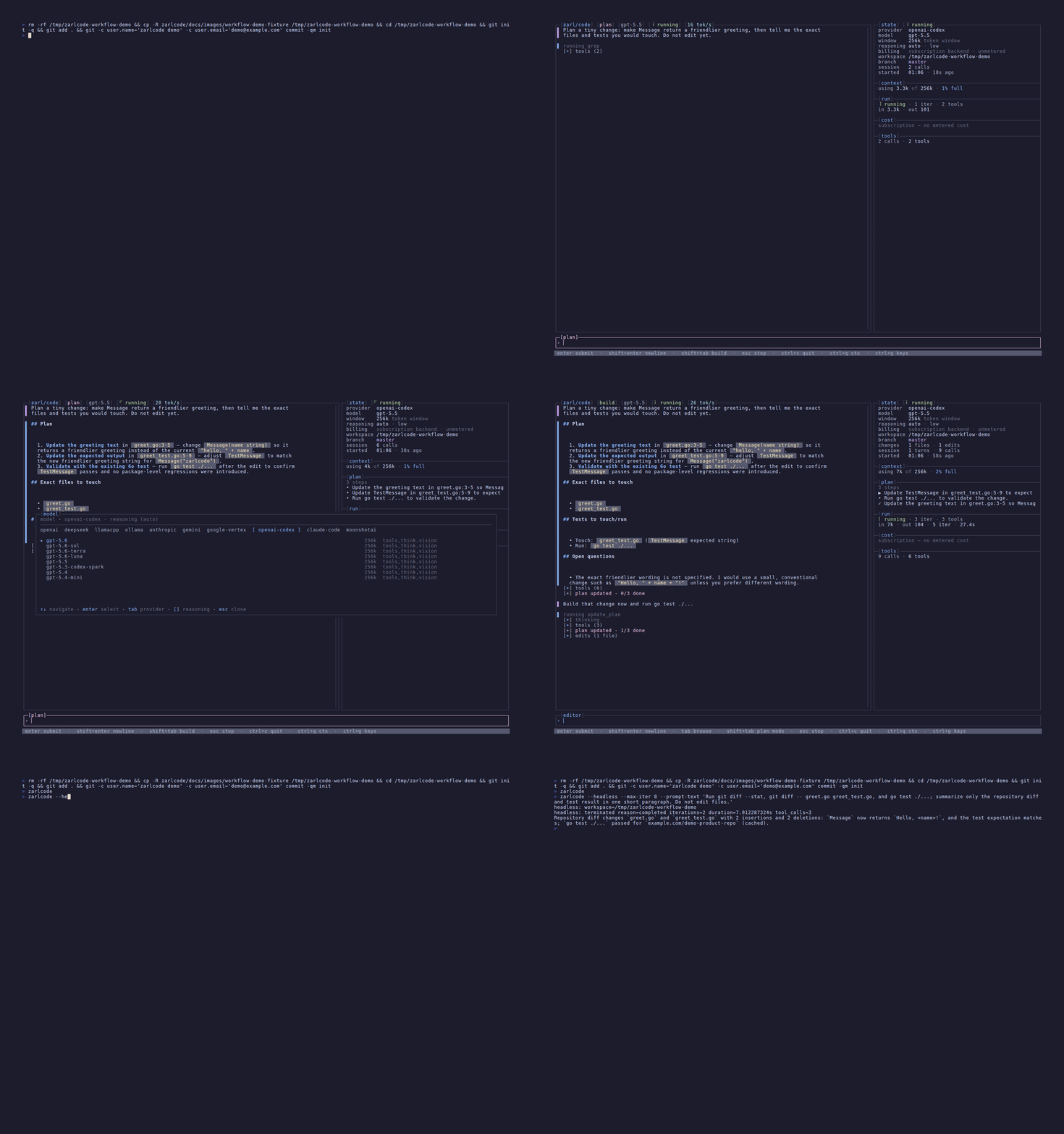
Once zarlcode is configured, its normal workflow stays in the TUI: ask for a plan, review it, let the agent build, then inspect the changes before moving on.
1. Start from the workspace
Section titled “1. Start from the workspace”cd /path/to/your/workspacezarlcodeAt the intro screen, enter a task such as:
Find the smallest change that would add validation to this configuration path. Explain the files and tests first.
Press Enter to create a session. If a previous session is listed instead, select it
to resume that workspace’s work.
2. Plan before mutation
Section titled “2. Plan before mutation”Sessions open in Build mode, so press Shift+Tab before sending the task to enter
Plan mode. There the agent can read, search, and investigate, but it cannot edit files
or run shell commands. Its plan appears in the timeline, where you can review the proposed
files, tests, and risks.
Use Ctrl+P to revisit the current or saved plans. Ask follow-up questions in the
composer if you want to narrow the scope before any changes happen.
3. Build with the run in view
Section titled “3. Build with the run in view”When the plan looks right, press Shift+Tab to switch to Build mode and ask the
agent to implement it. Build mode enables the workspace file and shell tools, subject to
zarlcode’s policies.
The timeline shows each model turn, file operation, command, result, diff, and any
sub-agent activity as it happens. Press Esc to stop an active turn when you need
to take over or revise the request.
4. Inspect the result
Section titled “4. Inspect the result”Use the TUI rather than hunting through terminal scrollback:
Ctrl+Wopens the working set: touched files, turns, and tracked processes. PressEnterfor a diff,oto open a file in your editor, orrto roll a file or turn back to its checkpoint.Ctrl+Fopens the read-only file viewer, including discovered skills, agents, and hooks.Ctrl+Lopens the expanded run dashboard with context, usage, and tool metrics.Ctrl+Eopens the model picker without leaving the session.
The full interface guide documents these surfaces and all keybindings.
5. Quit and resume
Section titled “5. Quit and resume”Press Ctrl+C while idle to quit. zarlcode keeps the session’s canonical transcript and
pending composer draft locally. Launching again in the same workspace lets you choose the
session from the intro screen; zarlcode --continue is the optional shortcut for
resuming the latest one.
The persisted transcript is separate from compactable model context, so the visible record, plan updates, diffs, and tool history remain available even when older provider history has been compacted. Read Sessions and transcripts for the retention and export details.
Work safely
Section titled “Work safely”Plan mode is the read-only phase; Build mode has real workspace and shell access. Review the plan and tool activity, especially in unfamiliar repositories or when using an unfamiliar model. Safety and workspace access explains the boundary and available guardrails.
For scripts and CI, use the separate automation reference rather than changing this interactive workflow.